
Elevora Meeting
Keep discussions, meeting agendas, attendance, minutes, approvals, and action follow-up connected in a private workspace with clear responsibilities.
Bring daily tasks, team plans, and project milestones into one clear workspace, with Kanban boards, timelines, calendars, and reports ready to share.
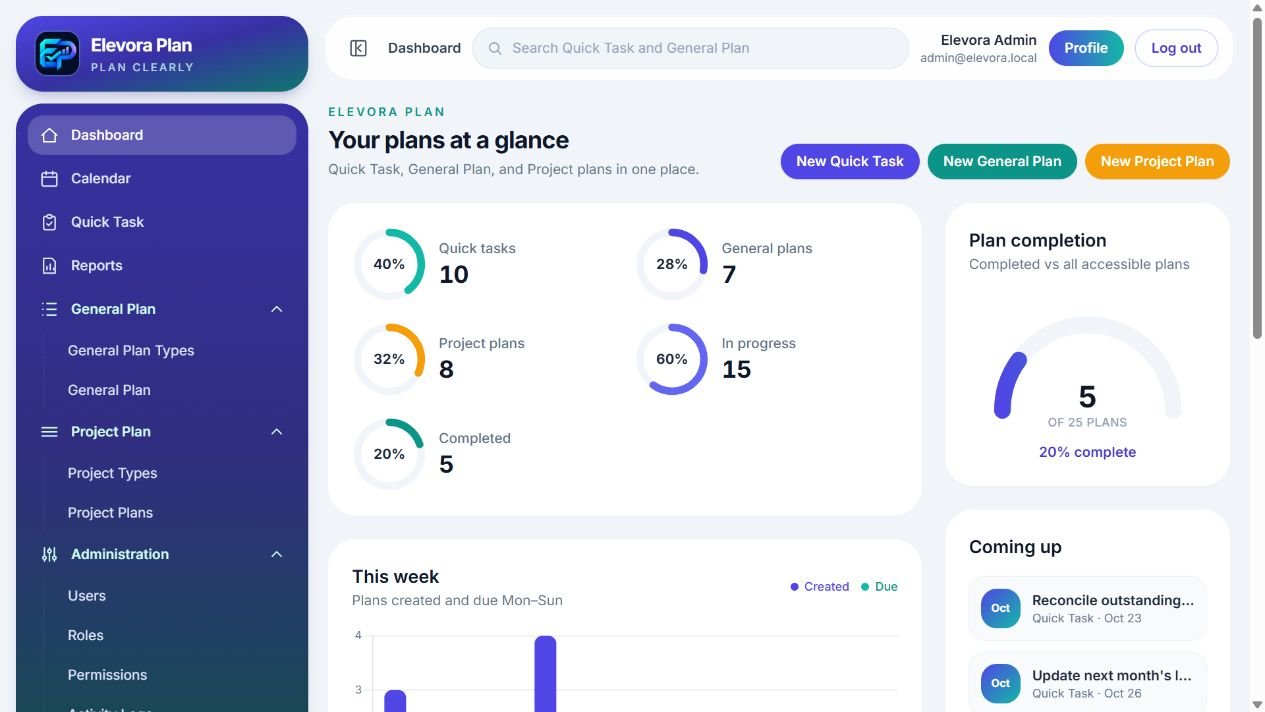
Elevora Plan brings Quick Tasks, General Plans, and Project Plans together so individuals and teams can organize work at the right level. Capture day-to-day actions, build a shared plan around an objective, or follow a project through its tasks and milestones.
Switch between structured lists, Kanban boards, Gantt timelines, and calendar views to understand priorities, progress, and deadlines. A dashboard brings accessible plans into focus, while a library of printable reports helps turn working records into a clear update for your team or stakeholders.
Quick Tasks support personal work, while shared plans bring accountable people, milestones, comments, schedules, and recorded budgets into the same context. Roles and plan membership control access, so each person works with the records relevant to them.
Choose a simple task, a team plan, or a structured project instead of forcing every kind of work into one format.
See work by status, follow its schedule on a timeline, and review dates in a shared planning calendar.
Record objectives and budgets, assign responsibilities, follow milestones, and keep progress connected to the plan.
Keep comments alongside the relevant General Plan or Project Plan so updates remain attached to the work.
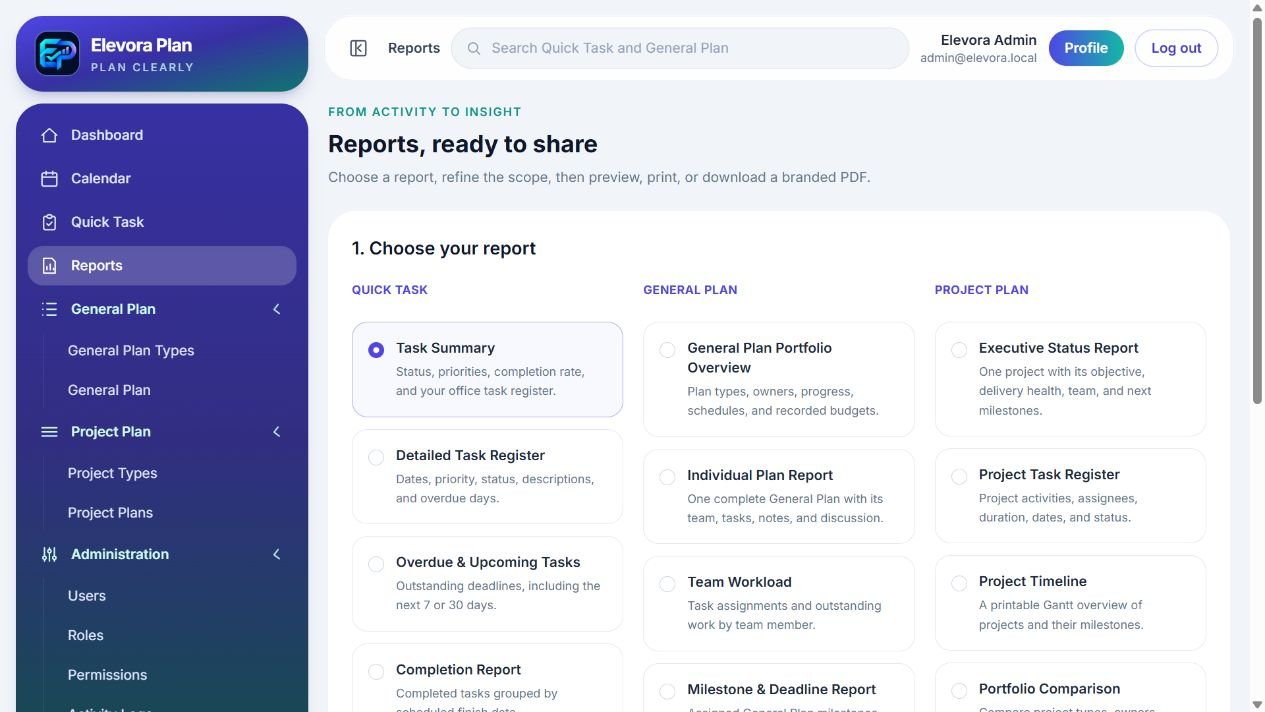
Preview, print, or download branded A4 PDF reports covering tasks, portfolios, workload, milestones, and project timelines.
Review accessible plans, upcoming work, and completion summaries, then find plans through search.
Manage users, roles, permissions, activity logs, and system branding, with record access respecting ownership and team membership.
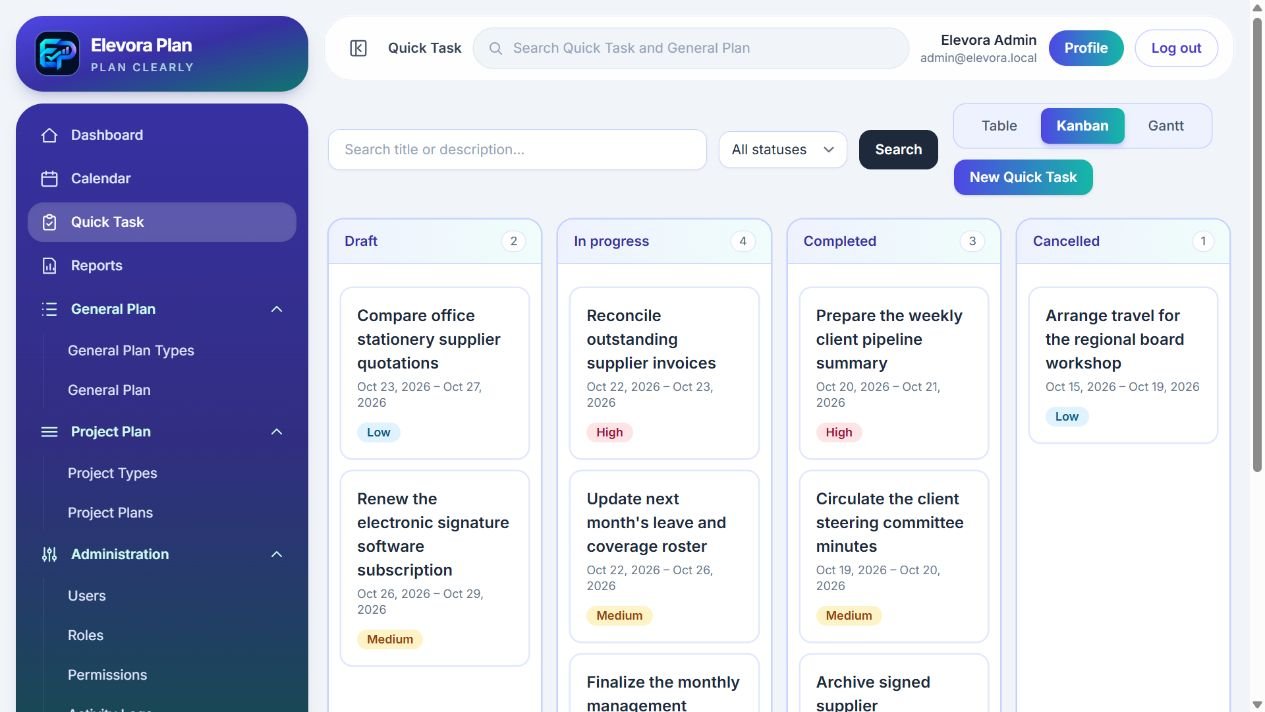
Organize your own tasks, review upcoming deadlines, and follow work from draft through completion.
Coordinate objectives, milestones, accountable people, and discussion around a shared plan.
Prepare a portfolio overview, workload report, executive project update, or printable timeline from the planning record.
Quick Tasks cover individual actions. General Plans group objectives and milestones for shared work. Project Plans organize project delivery, teams, schedules, tasks, and progress.
Yes. The report library supports previews, printing, and branded A4 PDF downloads across twelve task, plan, and project report types.
Yes. The gallery shows Elevora Plan screens captured with fictional demonstration records. The records and figures illustrate the interface, not customer results.
Use the product inquiry form to request a walkthrough and discuss demo access for your intended use.
Keep discussions, meeting agendas, attendance, minutes, approvals, and action follow-up connected in a private workspace with clear responsibilities.
Explore a platform or talk through the software your organisation needs.